One day, your newly created website might suddenly attract 10 visitors. That alone feels like a major achievement.
A few days later, when you check Google Analytics, you see the visitor count rising 500 visitors, 1,000 visitors, or perhaps even 5,000.
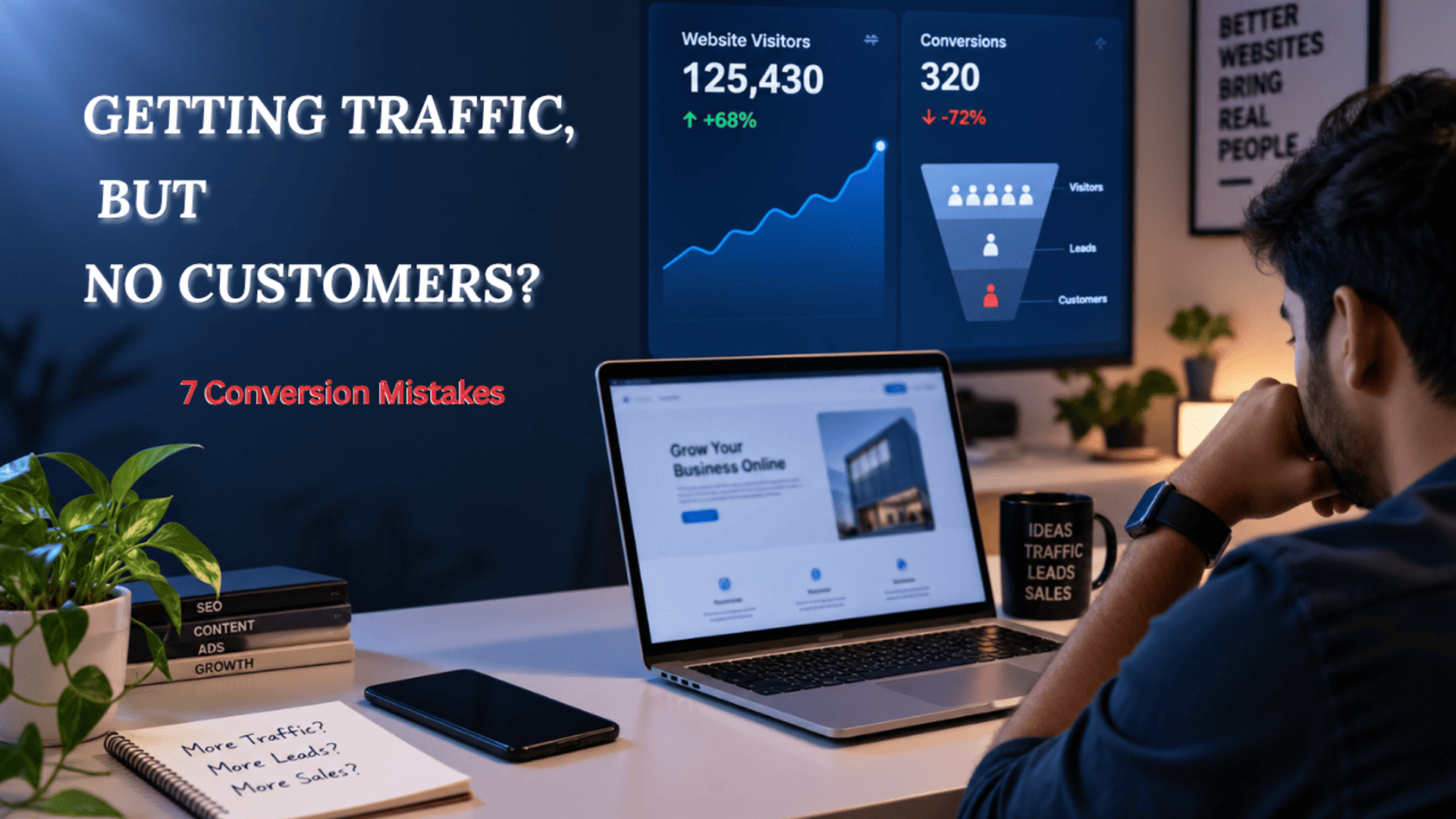
Yet, when you check your inquiries, sales, or sign-ups, you find nothing. While seeing just 10 visitors initially felt like a success, this outcome feels like a disappointment.
This is a common issue: simply having visitors does not automatically mean having customers.
Visitors may arrive at your website via Google, social media, advertisements, or referrals, but something is preventing them from taking the next step.
In this article, we will explore seven common mistakes that cause you to lose potential customers during the conversion process.
1. Visitors Don't Understand What You Actually Offer
As soon as someone visits your website's homepage, they should immediately understand what you are selling. If it takes them 20 seconds or more just to figure out what your company does, that is a problem.
Upon entering the site, your website must instantly answer these three simple questions:
What do you offer?
Who is it for?
What is the benefit to me?
For instance, imagine someone visits your website to apply for a credit card.
If you simply display an image of a credit card and say "Apply Now," would they be ready to do so? Or would they leave the site?
On the other hand, if a user visits the site and finds information about the types of credit cards available, the benefits they offer, and who they are best suited for, they are likely to enter their mobile number and proceed to the next step immediately.
Never try to appear flashy or grandiose by using unnecessary images or content; instead, aim to explain things clearly and simply so the user can easily understand.
2. Your Call-to-Action Is Hard to Find
A visitor comes to your website to learn more about you after seeing your service or hearing about it elsewhere. They like all the information you’ve provided, but what happens if there is no way for them to contact you?
Look at your page and ask yourself:
"If I wanted to contact you right now, where would I click?"
Your primary call to action must be clear.
Depending on your business, it could be something like:
Get a free quote
- Book a call
- Start a free trial
- Contact us
- Download the guide
- Apply now
You don't need five different buttons vying for attention.
Choose the key action you want visitors to take and make it easy for them to find it.
3. Your Form Is Asking for Too Much
This happens frequently on most lead-generation websites.
A visitor interested in more information clicks a button to contact you, only to be presented with a form asking for the following details:
- Name
- Phone number
- Company
- Job title
- Company size
- Location
- Budget
- Industry
- Website
- and several other questions.
Do you think most people will fill all of that out? Certainly not. I certainly wouldn't.
To start a conversation, a name and phone number or perhaps an email address are sufficient. Don't ask for ten other things on top of that.
Every additional field creates another opportunity for the visitor to drop off.
Once they have expressed interest in what you offer, you can always gather the additional information later.
5. Your Website Works Poorly on Mobile
Most visitors view websites using their mobile phones.
Therefore, open your own website on your mobile phone and actually use it.
Do not simply look at the homepage and assume it is fine; you need to test every page.
Make an effort to do the following:
- Find a product or service from your website.
- Read an article.
- Click your primary Call to Action (CTA).
- Fill out a form.
- Contact the company.
- Navigate back to the previous page.
- Look for anything annoying.
- Buttons might be too small.
- The text might be difficult to read.
- A pop-up might be obscuring the entire screen.
- The page might take too long to load.
- Filling out a form on mobile might be difficult.
These minor issues can have a significant impact on conversions.
6. Your Landing Page Doesn't Match Your Marketing
This is crucial when running Google Ads, Meta Ads, or other paid advertising campaigns.
For example, suppose your ad says:
“Get a free credit card.”
Imagine someone clicks that ad and lands on your website's general homepage.
They would then have to search all over your website just to find the button to apply for that credit card.
This is unnecessary.
The 'landing page' should align seamlessly with the message conveyed in the ad.
Ad → Landing Page → Action
Prioritize showing customers exactly what they are looking for when they visit your site.
If they clicked because they wanted a credit card, show them the page dedicated to credit cards.
Do not make visitors struggle to figure out where they need to go.
7. You're Looking at Traffic Instead of Conversions
This is likely the biggest mistake of all.
Here is the scenario:
You might see 10,000 visitors and assume your website is performing well.
But what if only 20 of them actually contact you? That is precisely where you need to dig deeper to understand the real issue.
The raw number of visitors alone does not provide the full picture.
You also need to track what happens after people arrive at your website.
For example:
10,000 visitors
↓
2,000 people viewed a product or service page
↓
500 people clicked the CTA (Call to Action) button
↓
200 people started filling out the form
↓
80 people fully completed the form
↓
25 people converted into customers
Now, you can clearly identify where the problem lies.
If thousands visit but very few click anything, the issue likely lies with 'conversion' (turning visitors into customers).
If people click but abandon the process halfway without filling out the form, the problem might be with the form itself; often, visitors drop off due to issues or complexities within the form.
If people make inquiries but do not become customers, the problem may lie somewhere in the post-website stage of the process.
This approach is far more useful than simply stating, "Our website received 10,000 visitors this month."
So, what should you check?
If visitors are coming to your website but not converting into customers, do not immediately assume you need more visitors. That is a flawed assumption.
Start by evaluating the visitors you already have.
Consider these questions:
- Can a new visitor immediately understand what I offer?
- Is my primary Call to Action (CTA) clear?
- Is my contact or inquiry form too long?
- Do I have sufficient proof that my business is trustworthy?
- Does the website function correctly on mobile devices?
- Does my landing page align with my advertisements and the user's search intent?
- Am I tracking clicks, form submissions, and actual conversions?
You might discover that the issue isn't getting people to your website.
The problem may lie in what happens after they arrive.
If you have friends or relatives, ask a few of them to test your website, provide feedback, and help you make necessary improvements.